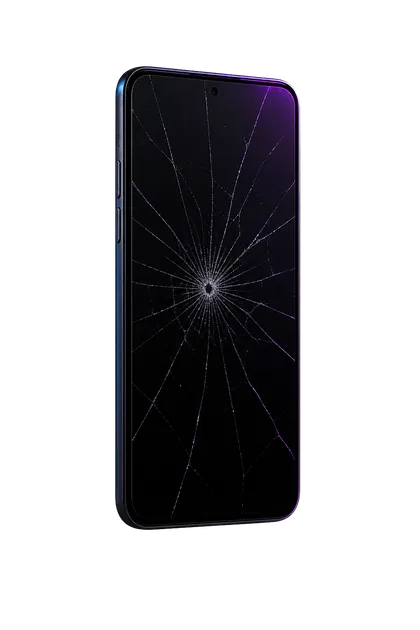
Lithium-ion cells can generate gas as they fail. Because a phone has little empty space, the expansion often pushes on the largest movable surface: the display or back panel. Swelling is battery damage and a potential fire hazard. A phone can remain cool and functional while swollen; normal operation does not make it safe to continue using.
What battery swelling looks like
A bent frame, failed adhesive, or previous poor repair can also create a gap. Until the battery is inspected, treat unexplained separation as swelling because pressing on it carries a much larger consequence.
What to do now
- Disconnect power. Unplug wired charging and remove it from a wireless charger.
- Power it off if safe. Do not press hard on a button or screen directly over the bulge. If shutdown requires force, leave the device alone and seek help.
- Remove only a loose case. Do not wrestle off a tight case that compresses the phone.
- Place it somewhere stable. Keep the phone at room temperature, out of sunlight, away from children, pets, paper, fabric, fuel, and other flammable material.
- Call before transporting it. Tell the repairer or recycler that the battery is swollen so they can give location-specific handling instructions.
Do not do these things
- Do not press, clamp, tape tightly, or glue the display or back down
- Do not pierce the battery to release the gas
- Do not pry the phone open with household tools
- Do not put it in a freezer, refrigerator, oven, car, or direct sun
- Do not charge it “one last time” for a backup
- Do not place it in water
- Do not ship it through ordinary mail or a parcel service without approved hazardous-material handling
- Do not put the phone or battery in household trash or curbside recycling
Embedded batteries sit near fragile display cables and sharp frame edges. Apple’s own repair procedures require battery training, protective equipment, specialized tools, and fire-suppression materials; they explicitly warn against scraping, puncturing, or forcibly prying a battery.
If it becomes hot, hisses, smokes, or smells
Those signs can precede thermal runaway. Do not pick it up, breathe fumes, or attempt a normal repair. Move people and pets away. If there appears to be an imminent fire risk, call 911 and follow the dispatcher’s instructions.
Temporary storage and transport
There is no single transport rule for every battery condition or location. Contact the manufacturer, repair provider, electronics recycler, or local household hazardous-waste program first. Describe the device as having an embedded swollen lithium-ion battery.
Leave the device undisturbed in a cool, dry, stable location away from combustible material. The EPA lists a bucket with a fire suppressant such as sand or kitty litter as one possible safe-location approach when no fire is imminent.
Damaged lithium batteries have special transportation restrictions. A normal return label is not automatic authorization to ship a visibly swollen device.
Garbage trucks and recycling equipment can crush the battery and start a fire. Use a battery-capable electronics recycler or household hazardous-waste collection point.
Is the phone repairable?
Often, yes. If the battery expanded gradually without overheating or damaging other parts, careful battery replacement and inspection may return the phone to service. The technician should check the display, rear panel, frame, charging behavior, and internal connectors before calling it complete.
Replacement becomes more sensible when the phone is very old, the frame or screen was damaged by the pressure, parts are unavailable, or the repair cost approaches the value of a reliable replacement. Data needs can change the decision: a repair may still be worthwhile long enough to recover and transfer information.
What to tell the repairer
- Phone make and exact model
- Which panel is lifting and how wide the gap is
- Whether it is hot, smells unusual, hisses, or has smoked
- Whether it was recently dropped, wet, repaired, or exposed to high heat
- Whether important data exists only on the phone
A swollen battery should be expected and handled as battery-safety work from the moment it arrives.
FAQ
Can I keep using it if it still works?
No. Continued operation and charging add heat and stress to an already damaged battery.
Can I back it up first?
Do not charge or continue using a visibly swollen phone for a backup. Ask a technician whether the battery can be safely disconnected or replaced before data transfer.
Will the screen go back down after battery replacement?
Sometimes, but not always. Prolonged pressure can warp the display, weaken adhesive, bend the frame, or damage touch and image layers.
Can I throw it in the regular recycling bin?
No. Use an electronics recycler or household hazardous-waste program that accepts damaged lithium-ion batteries.
Sources and notes
This is safety guidance, not a remote assessment. If fire appears imminent, leave the area and contact emergency services.