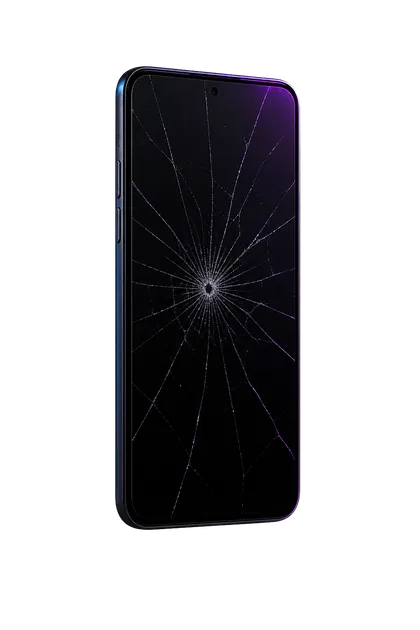
An iPhone display combines the cover glass, image-producing panel, and Multi-Touch sensing system in one assembly. The glass can crack while image and touch still work—or the touch layer can misread pressure and electrical signals even when the image looks perfect. The timing of the first false touch is one of the best clues.
Protect the phone before testing it
- Press the Side button once to put the screen to sleep.
- Power it down if false touches return immediately when it wakes. Do not fight the screen through repeated passcode attempts.
- Disconnect the charger and every Lightning or USB-C accessory.
- Do not press cracked areas or flex the phone to make touch return.
- Keep it dry. If liquid was involved, stop charging and follow liquid-damage guidance instead.
Four safe isolation tests
A distorted or very tight case can press an already damaged edge. If separation or swelling is visible, do not force the case off—treat it as a battery issue.
A cracked, thick, wet, poorly fitted, or lifting protector can create intermittent touches. Use care around sharp underlying glass.
Use a soft lint-free cloth. Water, lotion, oil, grime, and sweat can alter capacitive touch behavior.
If the problem occurs only on one charger, stop using that cable, adapter, or outlet. If it remains while unplugged after a restart, the display or phone needs service.
What the failure pattern suggests
Why a software reset is not the main answer after impact
A restart is a reasonable single test because software can freeze. A factory reset is different: it erases data and does not repair cracked glass, a damaged touch layer, displaced connectors, moisture, or a bent frame.
If ghost touch began at the moment of physical damage and survives the removable-cause tests, back up when safe and have the display diagnosed. Do not erase first merely to prove hardware is broken.
What screen service should account for
- The exact iPhone model and whether the original display is still installed
- Cracked glass, OLED/LCD image damage, and the location of false touches
- Frame bends or dents that could stress a new display
- Battery swelling or panel separation beneath the screen
- Liquid history and corrosion risk
- Front camera, proximity sensor, True Tone, brightness, and Face ID behavior
- Parts and Service History and any Finish Repair or Unknown message after previous work
When the touch layer is part of the failed display, replacing the complete display assembly is the normal repair. Glass-only work is not appropriate when the electronics beneath the glass are already malfunctioning.
Data and lockout: the overlooked risk
If the iPhone remains controllable, make a current iCloud or computer backup before touch gets worse. Keep the phone still on a flat surface and disconnect charging if that triggers false input.
If you cannot reliably enter the passcode, stop. Repeated wrong attempts can lead to iPhone Unavailable or Security Lockout. Apple’s reset procedure for a forgotten or unusable passcode erases the phone; recovery then depends on an existing backup. Replacing a damaged display may restore normal passcode entry without erasing the device.
What to send for a quote
- Exact iPhone model
- Whether the screen is cracked and where
- Where false touches appear and whether they happen while unplugged
- Drop, liquid, or previous repair history
- Whether the phone is already locked out
- Whether a current backup exists
Turn the screen off and stop repeated unlock attempts. Send the model, damage, and backup status.
FAQ
Can ghost touch get worse?
Yes. Cracks, pressure, moisture, frame movement, and continuing impact can make intermittent touch failure spread or become constant.
Can a cheap charger cause ghost touch?
Charging interference can cause touch problems. If the behavior stops completely when unplugged and returns only with one accessory or outlet, stop using that charging equipment.
Will a protector hold it together?
A protector may contain glass fragments but does not repair the touch layer. If applying it requires pressure or the display is lifting, do not install one.
Should I factory reset it?
Not as the first response to touch failure that began with physical damage. A reset erases data and cannot repair a damaged display.
Sources and notes
This guide combines Apple’s touch-isolation steps with repair-bench diagnosis for impact and display failures.