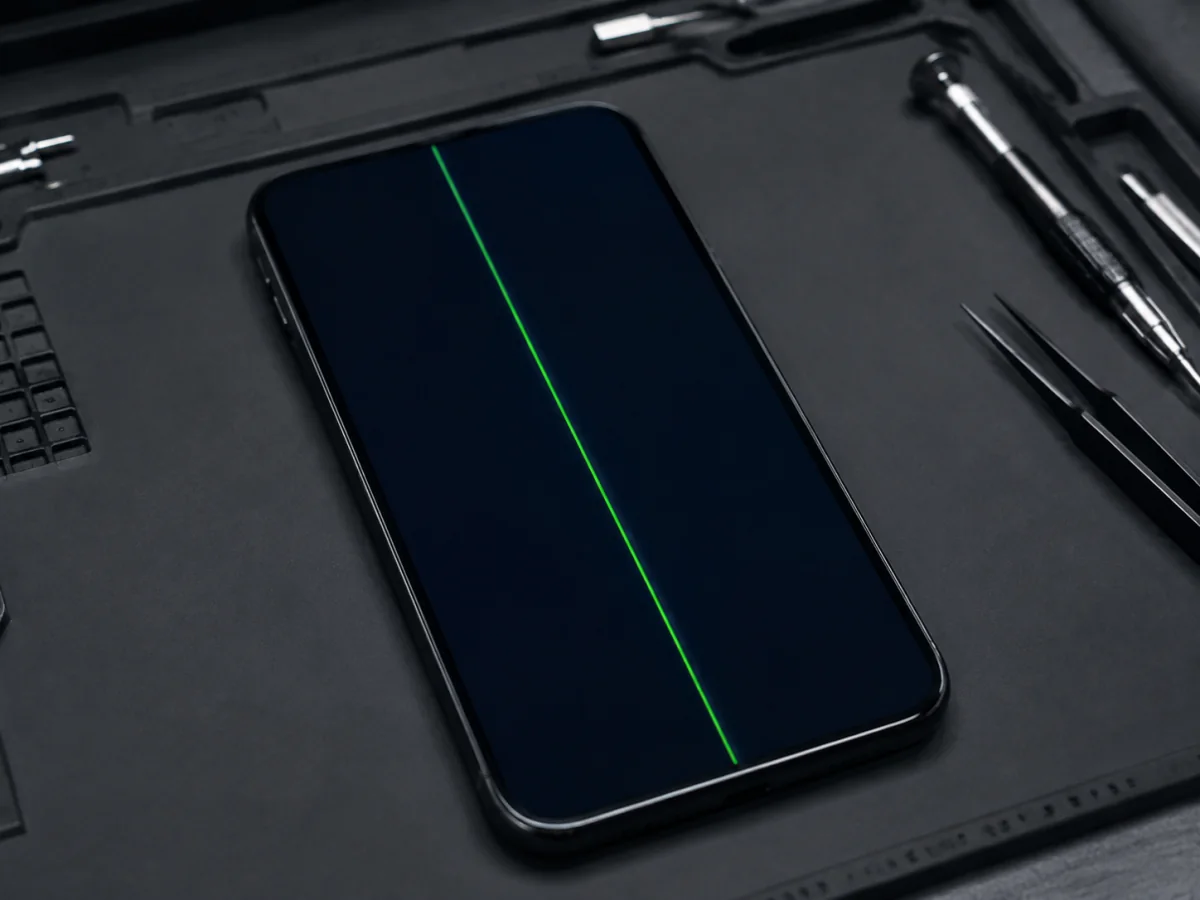
OLED and LCD displays address the image in rows and columns. When a column, driver, flex connection, or signal path fails, the visible result can be a razor-thin green line, a bright white band, several colored stripes, or a flickering region. The cover glass may look perfect because the failed electronics sit beneath it.
Protect access before testing the screen
- Make a current backup while touch and image still work. Display faults can expand without warning.
- Do not push the line, twist the phone, or massage the panel. A temporary flicker is not a repair.
- Remove a tight case only if the display is flat. If a screen edge is lifting, stop and treat possible battery swelling as a safety issue.
- Keep it dry. If the line followed liquid exposure, power down when practical and avoid charging.
- Restart once. For a frozen current-generation iPhone, press Volume Up, press Volume Down, then hold the Side button until the Apple logo appears.
The off-device screenshot test
Take a screenshot while the line is visible. Send or synchronize it to another device, then view the image there. Do not judge the screenshot only on the affected iPhone because the same faulty panel is displaying it.
The iPhone generated a normal image, but its physical display did not reproduce it correctly. Focus on the display panel, connector, flex, frame pressure, liquid, impact, or prior installation.
The line was part of the generated content. Check whether it exists only in one app, image, website, video, overlay, or accessibility feature. Software or content becomes more plausible.
Photograph the affected screen with another device and record whether the line is present during the Apple logo, lock screen, Settings, and several apps.
This test is powerful but not absolute. A display-path or board-level signal fault after the screenshot is generated can still require deeper diagnosis; the result primarily tells you whether the defect is baked into the captured image.
What the line’s behavior suggests
Why a line can appear without cracked glass
A drop can damage the OLED/LCD layer, driver bond, flex, or connector while leaving the cover glass unbroken. Corner and frame impacts matter.
Sitting on the phone, a tight mount, packed bag, or bent frame can stress the panel and its edge connections.
Moisture can affect display connectors and board-level image paths. A screen replacement alone may not resolve continuing corrosion.
A replacement display can fail, arrive defective, be stressed by a bent frame, have a connector issue, or require calibration and post-repair checks.
Displays can fail without a dramatic accident. Age, manufacturing variation, heat cycles, and internal electrical faults can surface as a line.
Why resets are often a distraction
A normal restart and current compatible iOS update are reasonable, low-risk software checks after backup. A factory reset is different: it erases the device and does not reconnect a flex, repair a pixel column, reverse corrosion, straighten a frame, or replace a failed panel.
If the line is missing from the off-device screenshot, exists during startup, and followed impact or pressure, do not erase merely to satisfy a generic troubleshooting script. Preserve the data and have the display path tested.
What proper screen diagnosis includes
- Exact iPhone model, display type, and repair history
- Line position, color, width, flicker, and screenshot result
- Full touch-grid test and check for uncontrolled touches
- Brightness, color, True Tone, ambient-light, and proximity behavior
- Glass, frame, pressure, drop, and liquid inspection
- Battery swelling or separation beneath the display
- Parts and Service History and required calibration after repair
When the panel electronics are responsible, replacing the complete display assembly is the normal repair. “Glass-only” work cannot fix a failed OLED/LCD column or touch layer. If a known-good display shows the same fault, connector and board-level diagnosis must continue rather than installing more screens.
Send the affected display, the screenshot viewed elsewhere, model, and damage history.
FAQ
Is a green line caused by an iOS update?
The timing may coincide with an update, and software checks are worthwhile. A fixed line absent from an off-device screenshot usually indicates the physical display path rather than pixels drawn by iOS.
Can I keep using the phone?
Temporarily, if it is flat, cool, dry, touch is controlled, and the image remains usable. Back up immediately because display faults can spread. Stop if there is lifting, heat, liquid, or false touch.
Will a screen protector fix or hide the line?
No. A protector only covers the outer glass. It cannot repair the image-producing panel or its electrical connection.
Can a connector reseat fix it?
Sometimes a connection is involved, particularly after impact or repair, but opening the iPhone requires safe battery disconnection, inspection, new sealing materials, and testing. Persistent panel lines often require the display itself.
Sources and notes
Apple’s public guidance covers screen isolation, service, and replacement-display behavior. The screenshot and pattern analysis here reflects display-path diagnosis at the repair bench.