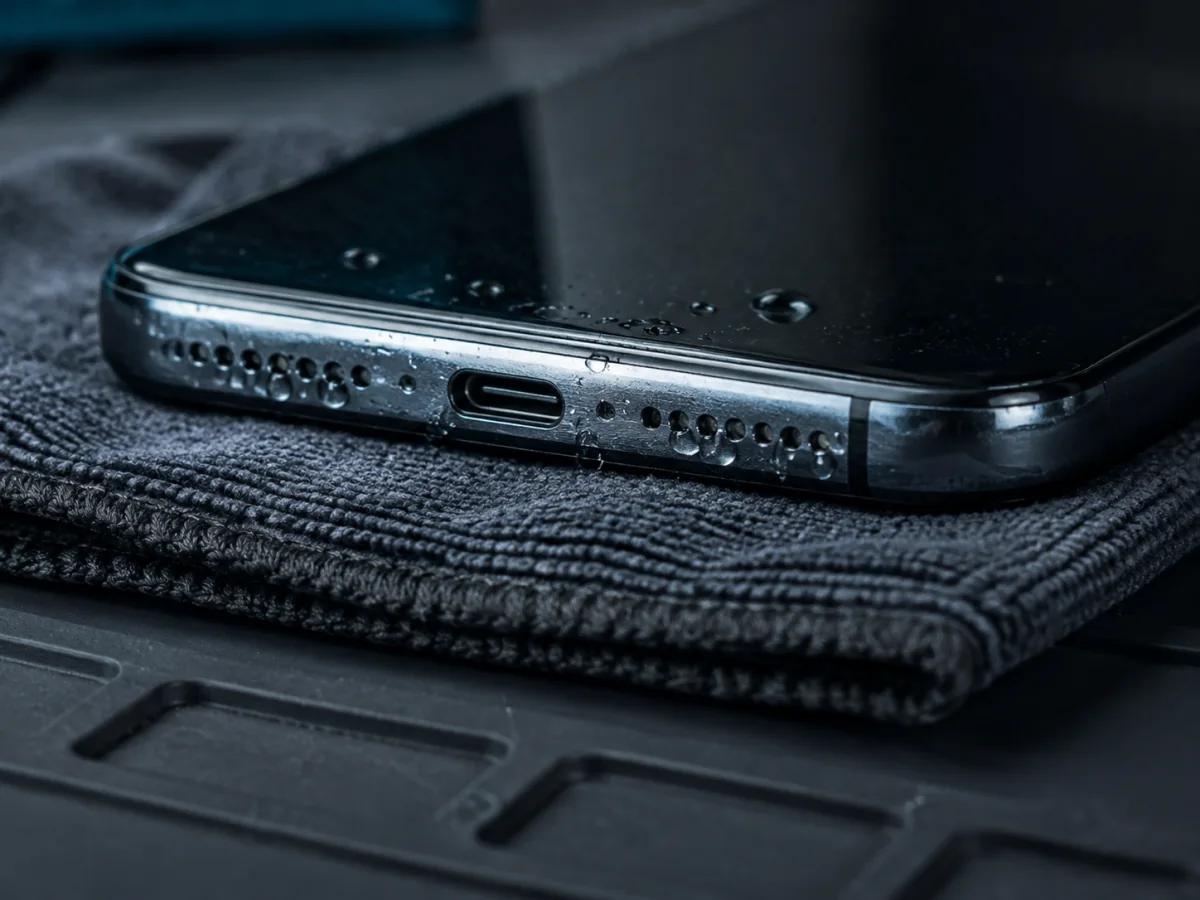
An iPhone has more than one audio opening. The earpiece or receiver near the top handles ordinary call audio and contributes to stereo playback on many models. The lower edge contains a loudspeaker opening and microphone openings, but not every row of holes is a speaker. Water, skin oil, lint, screen protectors, and cases can block an acoustic mesh; internal liquid can also affect microphones, connectors, amplifiers, and the logic board.
What to do immediately
- Disconnect the charging cable and any wired accessory. Do not reconnect while the port or cable end may be wet.
- Remove the case and wipe the outside with a soft, lint-free cloth.
- Hold openings downward and allow gravity and open airflow to help. Do not violently shake the phone.
- Leave it in a dry place with airflow. Apple notes that connector drying may take up to 24 hours; other trapped moisture also needs time.
- Wait before repeated sound tests. Running speakers loudly creates vibration but does not inspect or remove internal liquid.
First identify what actually sounds muffled
Remove the case and check the lower speaker and top receiver areas for visible obstruction. Compare left/right orientation carefully; the lower microphone grille is not a second loudspeaker on many models.
Focus on the top receiver area. A screen protector, case lip, makeup, skin oil, residue, or damaged receiver can block it.
That is a microphone path, not speaker output. Test Voice Memos, rear-camera video, front-camera video, and a phone call because different modes can use different microphones.
The file, app, and main audio processing can work while a built-in speaker or its acoustic path is obstructed or damaged.
A controlled audio test after drying
Use moderate—not maximum—volume. Maximum volume can turn ordinary distortion into a misleading test and is uncomfortable when switching unexpectedly between receiver and speaker.
- Ringtone slider: In Settings → Sounds & Haptics, move the Ringtone and Alerts slider and listen for clarity.
- Media: Play familiar spoken audio. Speech makes muffling and crackle easier to recognize than heavy music.
- Receiver call: Make a call and listen normally at the top earpiece, then enable speakerphone.
- Voice Memos: Record a short sentence and play it back. This checks one recording path and the playback speaker together.
- Front and rear video: Record speech with each camera orientation and compare playback using headphones or another device if possible.
- Bluetooth or headphones: Normal external audio helps isolate the built-in acoustic hardware, though it does not rule out every board fault.
Cleaning after the phone is dry
Apple recommends checking whether speaker and receiver openings are blocked and, if necessary, using a small, clean, dry, soft-bristled brush. Brush gently across the exterior rather than pushing debris deeper. Remove films or protectors that overlap the receiver.
- Do not pour or spray cleaning fluid into a mesh.
- Do not use pins, needles, tweezers, or adhesive putty that can deform or fill the mesh.
- Do not peel a speaker mesh out of the housing.
- Do not keep brushing a torn, dented, or missing grille.
- If the residue is sticky, mineralized, or from a contaminated liquid, internal and professional exterior cleaning may be needed.
A dirty mesh and liquid damage can exist together. Cleaning the exterior may improve volume without addressing corrosion beneath it.
The type of liquid changes the risk
Apple states that splash, water, and dust resistance are not permanent conditions and can decrease with normal wear. No used phone should be treated as waterproof.
About “water eject” sounds
Apple Watch has a documented Water Lock feature that plays tones to clear water from its speaker. iPhone does not provide that same built-in system-wide feature. Websites and shortcuts can play low-frequency tones, and vibration may move droplets at an exterior grille, but this does not prove the inside is dry, remove dissolved residue, reverse corrosion, or make the charging port safe.
If you try ordinary audio after the phone has had drying time, keep the volume moderate and stop if the speaker crackles heavily. Do not let a temporary improvement replace charging caution or inspection after contaminated liquid.
When it needs more than drying
- Distortion, crackle, or low volume remains after thorough drying and gentle exterior cleaning
- The liquid was salt water, pool water, soda, coffee, or another contaminant
- Microphones, cameras, charging, buttons, Face ID, cellular, or touch also changed
- The phone grows warm, restarts, drains rapidly, or shows repeated liquid alerts
- Camera lenses fog internally or corrosion is visible around openings
- The phone has broken glass, previous repair, or a separated panel
Service may involve exterior mesh cleaning, opening and inspecting for liquid paths, disconnecting the battery, corrosion treatment, and testing individual speakers and microphones. Replacing the loudspeaker alone will not fix a receiver, microphone, audio circuit, connector, or continuing corrosion problem.
Send the model, exposure time, charging status, and which playback or recording test is muffled.
FAQ
How long should I wait for the iPhone speaker to dry?
There is no exact speaker timer. Give it open airflow and avoid cable charging while moisture is possible. Apple says a wet connector may take up to 24 hours to fully dry; persistent audio trouble after a thorough drying period needs inspection.
Why is only one side of the bottom quiet?
On many iPhones, one lower grille serves a microphone rather than a second loudspeaker. Compare with the model’s layout before assuming both sides should produce equal sound.
Can water resistance prevent speaker damage?
It reduces risk under specified test conditions when seals are intact, but it is not permanent and is not a guarantee against real-world liquid damage.
Should I charge wirelessly while it dries?
Apple permits wireless charging after confirming the back is dry, but broader submersion, heat, damage, or contaminated liquid may justify powering down instead. Wireless charging also creates heat, so do not use it as a blanket answer for a wet phone.
Sources and notes
This guide combines Apple’s drying, cleaning, sound, and water-resistance guidance with repair-bench isolation of speakers, receivers, and microphones.